Color plane
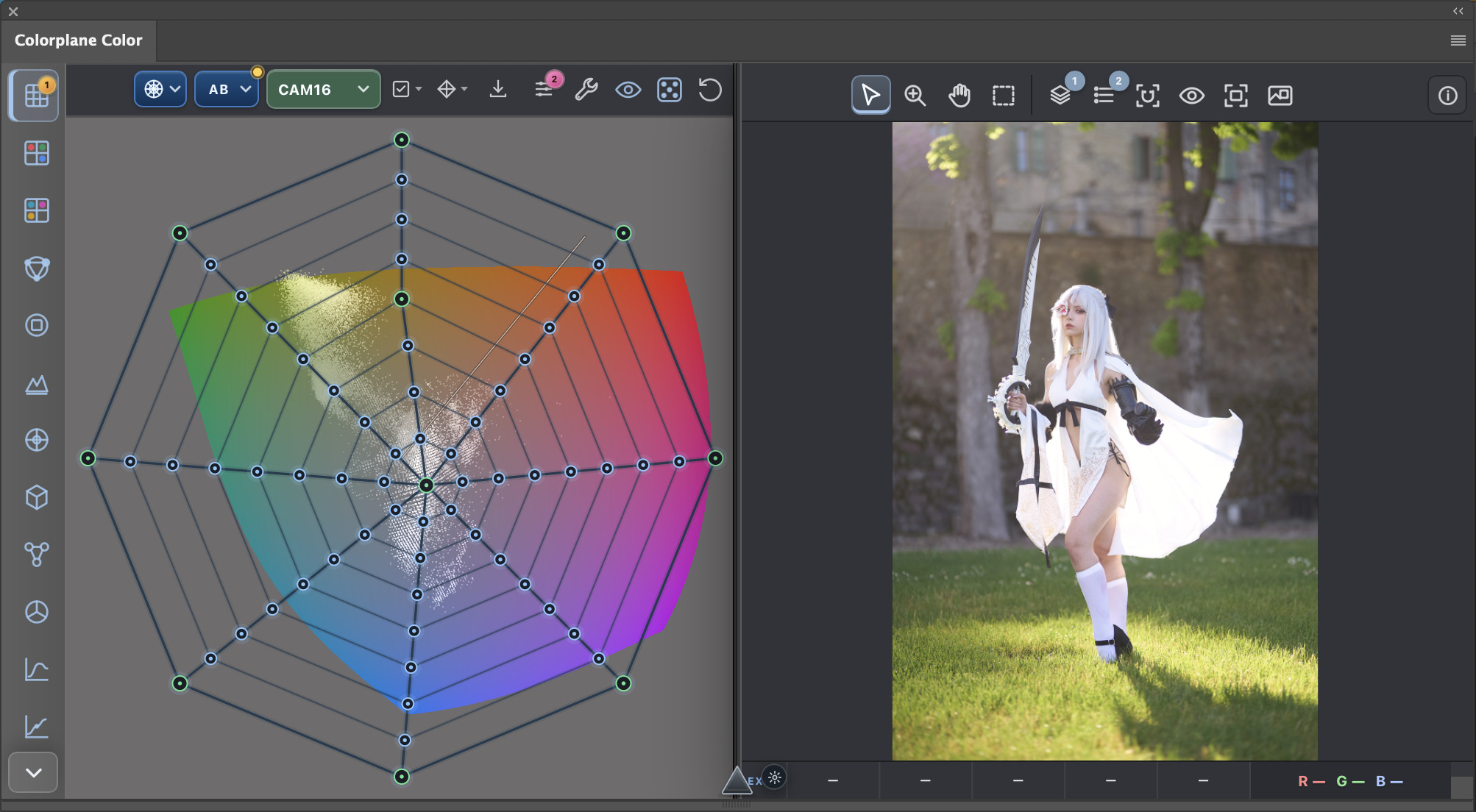
Pull color through a perceptual grid while the photograph stays visible.
FREE UNTIL MARCH 1, 2027
Shape hue, saturation, contrast, and tone on a visual plane. Your image stays large, your grade stays editable, and Photoshop remains the source of truth.
THE PANEL SYSTEM
Direct controls, honest feedback, and Photoshop-native output. No account is required to explore the plugin.
Pull color through a perceptual grid while the photograph stays visible.
Read the grade as a cloud, parade, vectorscope, CIE plot, or gamut view.
Keep the result editable, maskable, blendable, and ready to hand off.
ACTUAL UI · CAPTURED IN PHOTOSHOP
Compare source and current color, edit a perceptual grid, and keep the result in the document you already know. This is the real plugin running in Photoshop—not a product mockup.
COLORPLANE 2.0.10
The same color editor in Photoshop, as a desktop app, or in your browser.
For Photoshop on macOS and Windows. Install the CCX, then open Colorplane from Plugins.
Download Photoshop pluginA standalone editor for Apple Silicon Macs running macOS 26 or later, with camera tethering.
Download for macOSA standalone editor for Windows x64. Camera tethering is not available on Windows yet. The installer is currently unsigned.
Download for WindowsOpen the editor in your browser without installing an app.
Open browser app| Feature | Photoshop plugin | macOS app | Windows app | Browser app |
|---|---|---|---|---|
| Color tools, RAW development, LUT / ICC export | Included | Included | Included | Included |
| Requires Photoshop | Yes, on macOS or Windows | No | No | No |
| Work with Photoshop documents | Directly in Photoshop | Open and export files | Open and export files | Open and export files |
| Camera tethering | Not available | Included | Not available yet | Not available |
| Updates | Install the latest CCX | Download automatically; ask before installing | Download automatically; ask before installing | Latest deployed version when reloaded |
RELEASES MARCH 1, 2027
Explore the complete editor free until release. Starting March 1, Colorplane includes a 14-day trial. After the trial, a lifetime license costs €50 or $50—one payment, with no subscription.
Try Colorplane in your browser Releases March 1, 2027 · 14-day trial after release · €50 / $50 lifetime.